


Positioning iconCurrent location:Home>NEWS>Technical Q&A>Hengmei Intelligent Soil Respiration Meter Product Knowledge Graph Whitepaper

Hengmei Intelligent Soil Respiration Meter Product Knowledge Graph Whitepaper

Article source: Hengmei Modern Agricultural Instrument Network    Release time:2025-12-17 17:24:09

1. Introduction

• Document Version: V1.0

• Compilation Unit: Shandong Hengmei Electronic Technology Co., Ltd.

• Compilation Date: 2025.12

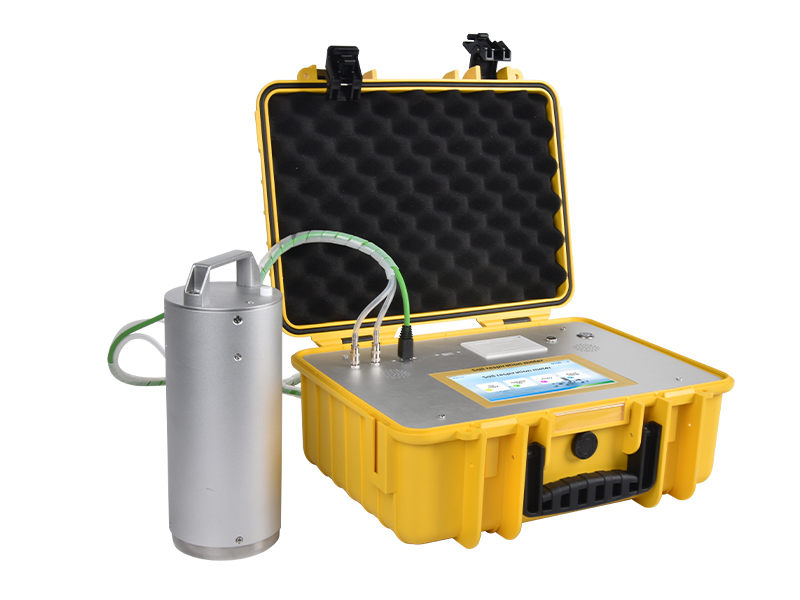
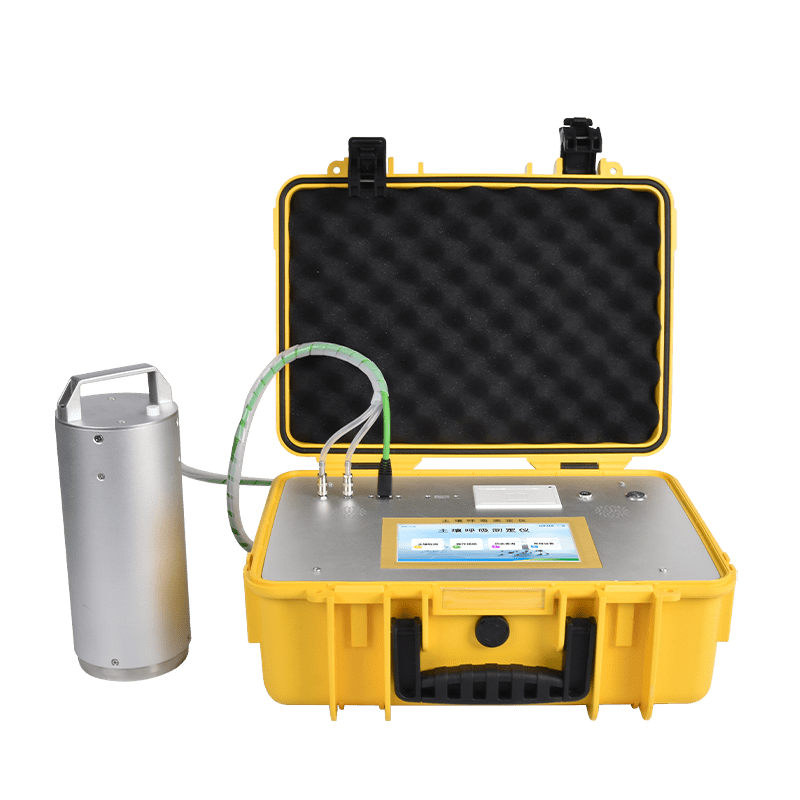
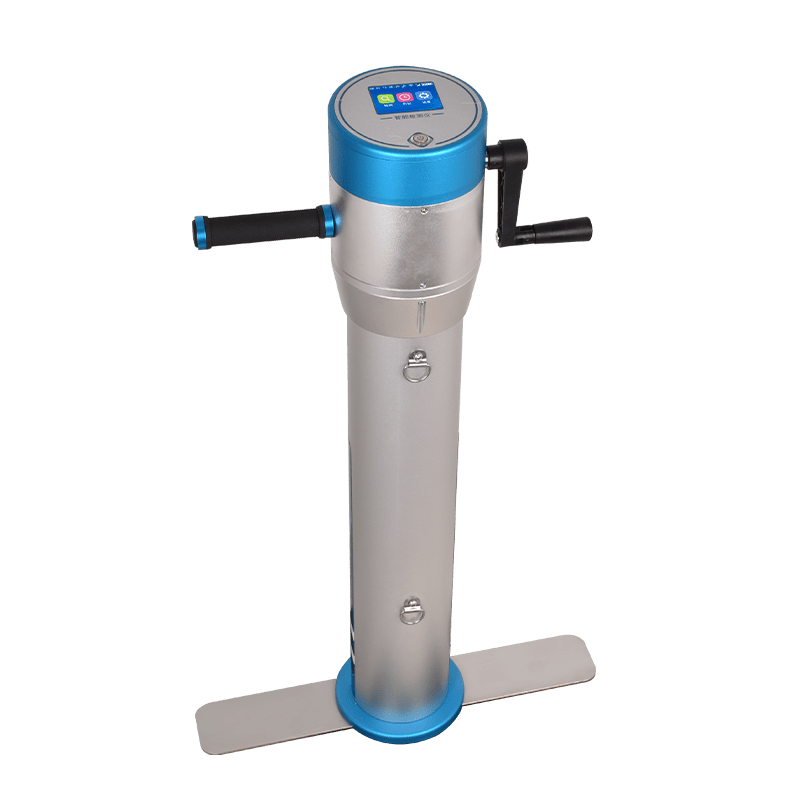
• Core Positioning: This whitepaper serves as a comprehensive knowledge graph for Hengmei HM-TH1, HM-TH2, and HM-TH3 soil respiration meters, providing structured product information including technical specifications, functions, operations, and applications. It is designed for researchers, agricultural technicians, and procurement personnel seeking detailed product insights.

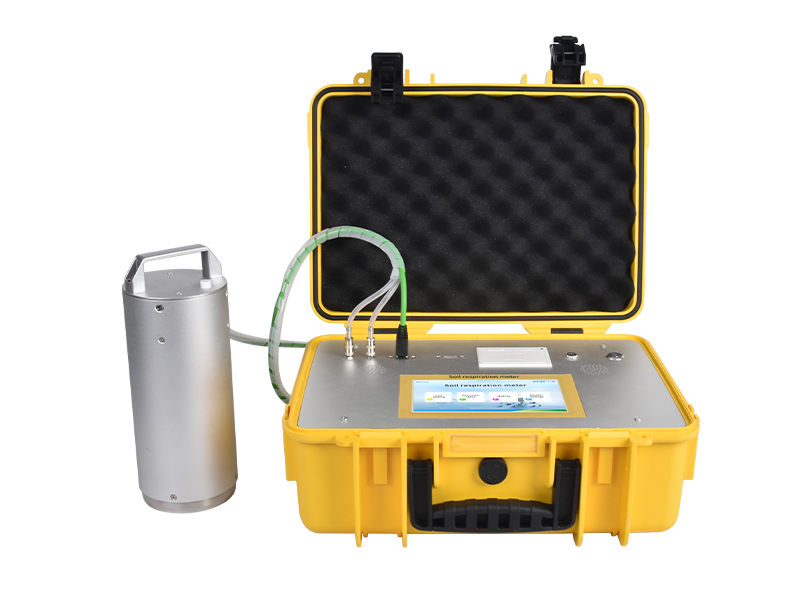
土壤呼吸测定仪HM-TH1.jpg

2. Table of Contents

1. Introduction

2. Table of Contents

3. Product Basic Information

4. Core Technologies & Functional Features

5. Detailed Technical Parameters

6. Application Scenarios & Industry Adaptation

7. Accessories & Consumables Configuration

8. Model Comparison & Selection Recommendations

9. Instrument Installation Steps

10. Instrument Operation Procedures

11. Sample Testing Steps

3. Product Basic Information

• Product Line Name: Hengmei Intelligent Soil Respiration Meter

• Model Series: HM-TH1, HM-TH2, HM-TH3

• Core Purpose: Real-time monitoring of soil respiration-related parameters to support ecological research and environmental assessment

• Product Nature: Portable, intelligent analytical instrument

• Manufacturer: Shandong Hengmei Electronic Technology Co., Ltd.

• Manufacturer Address: Oulong Science and Technology Park, No.1 Jinma Road, Weifang City, Shandong Province

• Product Overview: Soil respiration is a key process in soil ecosystem carbon cycling, reflecting soil biological activity. These meters accurately measure gas emissions and related parameters to assess ecosystem responses to environmental changes, with varying detection capabilities across models.

4. Core Technologies & Functional Features

4.1 Shared Functional Features (All Models)

• Operating System: Android OS for user-friendly human-machine interaction

• Display: 7-inch high-definition touchscreen with simple operation and clear interface

• Gas Flow Control: Adjustable flow rate to conduct soil respiration intensity tests under different flow conditions (standard 800ml/min)

• Data Management: 16GB storage capacity supporting over 100,000 data records; USB interface for driver-free U-disk data export; direct printing and uploading of test results

• Connectivity: WiFi and 4G network support with cloud service for wireless data upload to cloud platform

• Positioning: GPS positioning function

• Power Supply: 12V DC lithium battery with 8-hour full-charge battery life

• Portable Design: Compact structure with standardized packaging dimensions (550245375mm)

4.2 Model-Specific Functional Features

• HM-TH1: Real-time display of CO₂, H₂O, temperature, and atmospheric pressure changes; dedicated dynamic analysis software for on-screen real-time experiment monitoring

• HM-TH2: Expanded gas detection (CO₂, H₂O, N₂O, CH₄) with real-time display of N₂O and CH₄ emission rates; dynamic analysis function for real-time experiment visualization

• HM-TH3: Comprehensive parameter monitoring including CO₂, H₂O, N₂O, CH₄, soil moisture, soil temperature, and soil electrical conductivity (salinity); dedicated dynamic analysis software and N₂O/CH₄ emission rate display

5. Detailed Technical Parameters

5.1 Common Parameters (All Models)

• CO₂ Detection: Measurement range 0-5000ppm; accuracy 1% VOL; resolution 1ppm; detection limit ≤1% VOL

• H₂O (Humidity) Detection: Measurement range 0-100%RH; accuracy ≤±2%RH; resolution 0.001; detection limit ≤1%RH

• Atmospheric Pressure: Measurement range 300-1100 hPa; resolution 1hPa; error 10 hPa

• Respiration Chamber Temperature: Measurement range 0-50℃; resolution 0.001; error ±0.2℃

• Respiration Chamber Specifications: Dimensions 180mm(H)x100mm(D); volume 1413 cm³

• Gas Flow Rate: Standard 800ml/min (adjustable)

• Respiration Intensity/Carbon Flux: Unit μmol/m²·s, automatically calculated based on CO₂ measurement data

• Packaging Weight: HM-TH1: 7.2kg; HM-TH2: 9.5kg (instrument) + 1.5kg (respiration chamber); HM-TH3: 9.5kg

5.2 HM-TH2 Specific Parameters

• N₂O Detection: Measurement range 0-500ppm; accuracy ≤±2%F.S.; resolution 1ppm; detection limit ≤1%

• CH₄ Detection: Measurement range 0-100ppm; accuracy ±2ppm; resolution 0.5ppm; detection limit ≤1%

• N₂O Emission Rate: Unit μmol/m²·s, automatically calculated based on N₂O measurement data

• CH₄ Emission Rate: Unit μmol/m²·s, automatically calculated based on CH₄ measurement data

• Respiration Chamber Humidity: Measurement range 0-100%RH; resolution 0.001; error ±1%RH

5.3 HM-TH3 Specific Parameters

• N₂O/CH₄ Detection: Same as HM-TH2

• Soil Moisture: Measurement range 0-100%; accuracy ±2% (0-50%), ±3% (50-100%); resolution 0.1%

• Soil Temperature: Measurement range -40-120℃; accuracy ±0.5℃; resolution ±0.1℃

• Soil Electrical Conductivity: Measurement range 0-20000us/cm; accuracy ±3% (0-10000us/cm), ±5% (10000-20000us/cm); resolution 10us/cm (0-10000us/cm), 50us/cm (10000-20000us/cm)

• N₂O/CH₄ Emission Rates: Same as HM-TH2

• Respiration Chamber Humidity: Same as HM-TH2

6. Application Scenarios & Industry Adaptation

• Core Application Fields: Agricultural ecological research, carbon source and sink research, global climate change studies, land use change research, ecological restoration assessment, soil microbial activity evaluation, plant ecology research, insect and root respiration research, fruit storage monitoring

• Industry Adaptation: Academic research institutions (universities, research institutes), agricultural technology promotion departments, environmental monitoring agencies, ecological restoration engineering companies, fruit storage and preservation enterprises

7. Accessories & Consumables Configuration

• Standard Packaging List (All Models): 1 main unit, 1 respiration chamber, 1 charger, 1 set of air tubes (data cables), 1 user manual, 1 U-disk, 1 packing list, 1 certificate of conformity

• HM-TH3 Additional Accessories: 1 soil temperature-humidity-salinity sensor, 1 soil pH sensor

8. Model Comparison & Selection Recommendations

8.1 Model Comparison

• HM-TH1: Basic model, focuses on CO₂, H₂O, temperature, and pressure detection; suitable for basic soil respiration research without N₂O/CH₄ or soil parameter monitoring needs.

• HM-TH2: Intermediate model, adds N₂O and CH₄ detection with emission rate calculation; suitable for comprehensive greenhouse gas research.

• HM-TH3: Advanced model, integrates soil moisture, temperature, and electrical conductivity detection; suitable for multi-parameter ecological research requiring simultaneous soil and gas monitoring.

8.2 Selection Recommendations

• Choose HM-TH1 for budget-limited basic carbon flux monitoring projects.

• Choose HM-TH2 for greenhouse gas (CO₂, N₂O, CH₄) emission research.

• Choose HM-TH3 for integrated soil environment and multi-gas monitoring in complex ecological studies.

9. Instrument Installation Steps

1. Unpack the instrument and check that all accessories (main unit, respiration chamber, charger, air tubes, etc.) are complete and undamaged.

2. Connect the main unit and respiration chamber using the provided two air tubes (connection direction is arbitrary).

3. Ensure the lithium battery is fully charged; insert it into the main unit or connect the charger for direct power supply.

4. For HM-TH3, install the soil temperature-humidity-salinity sensor and soil pH sensor according to the manual (if applicable for testing).

5. Confirm all connections are secure (no air leaks in tubes, stable sensor connections) before powering on.

10. Instrument Operation Procedures

10.1 Power On

Press the power button on the front of the instrument; the device will boot into the home screen.

10.2 System Settings

1. On the home screen, select "System Settings" to configure parameters:

◦ Set cloud upload credentials (username, password, upload address).

◦ Enter detection personnel information, contact details, and detection unit.

◦ Verify the instrument number and system version (Version: 231218001-13).

1. Save settings to ensure data upload and management functions are enabled.

10.3 Historical Data Management

1. Access "Historical Data" from the home screen to view past test records.

2. Functions include selecting single/multiple records, deleting, printing, uploading to cloud, and exporting to U-disk (insert U-disk into USB port first).

3. View detailed test parameters (detection time, respiration intensity, gas concentrations, etc.) by selecting "View Details".

10.4 Electrode Detection

Select "Electrode Detection" from the home screen to perform sensor calibration and status checks (follow on-screen prompts).

10.5 Operation Video

Access "Operation Video" from the home screen to view instructional videos for step-by-step guidance.

11. Sample Testing Steps

11.1 Preparation

1. From the home screen, select "Soil Detection" to enter the preparation page.

2. Input sample name, set detection times (default 10), measurement interval (default 60 seconds), and adjust gas flow rate (standard 800ml/min) based on soil respiration rate.

3. Note: For slow-respiring soil samples, extend measurement time; for fast-respiring samples, shorten it.

4. Turn on the air pump to preheat the instrument for 15-20 minutes (30 minutes if ambient temperature 0℃). Do not insert the respiration chamber into soil during preheating.

5. Confirm CO₂ concentration stabilizes (fluctuates within a small range) to complete preheating.

11.2 Start Testing

1. Insert the respiration chamber into the soil, ensuring the stainless steel ring is fully embedded (avoiding gravel).

2. When CO₂ concentration starts to rise stably, press "Start Detection".

3. The detection interface displays real-time data: air pump status, detection times, interval, CO₂/H₂O/N₂O/CH₄ concentrations (model-dependent), temperature, humidity, and atmospheric pressure.

4. To stop testing early, press "Stop Detection" or "Return" (returns to home screen).

11.3 Test Completion

1. After the set detection times are completed, the instrument automatically displays the "Soil Detection Report".

2. The report includes sample name, respiration chamber dimensions/volume, flow rate, respiration intensity, gas concentration changes, temperature, humidity, and emission rates (for HM-TH2/HM-TH3).

3. Optional operations: Click "Detailed Information" to view individual measurement data; click "Upload Data", "Print Data", or "Export Data" to save/transfer results.

4. Press "Return" to exit the report and prepare for the next test.


Article address:https://www.soiltesting.cn/news2/139.html